Email:
sales@wcscnet.com


Competent Technical Support By Knowledgeable Engineers

View Cart

Checkout

RSS Feed

Home
Products
Services
Support
File Download
Testimonials
NewsLetters
Press Releases
Tutorials
WebLog (News)
WCSC Partners
Developer Tools

Email Updates

Wires No More!


$159.99 a pair
Wireless Serial Adapter
(Bluetooth to RS232)


Bluetooth USB Mini Micro Dongle (v2.0, EDR, Class1)
$19.99

Bluetooth USB Dongle
(Class 1, EDR, v2.0)


Credit Card Merchant Services

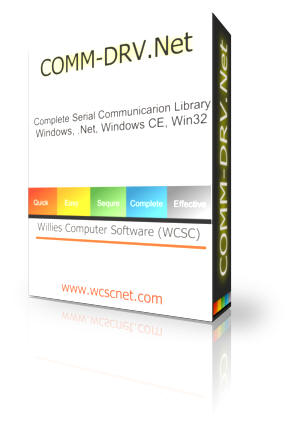
COMM-DRV/Lib.Net
Professional Edition
Price $299.95


serial communication library - .Net - xmodem - zmodem - ymodem - rs232 - c# - VB - C++

COMM-DRV/Lib.Net is a professional serial communication library component for the .Net Windows development environment. We understand that your time is valuable and have made this serial communication library/component extremely easy to use. After installing this communication .Net (dotnet) component, you should have a working application in less than 5 minutes. Simply load the C# or Visual Basic .Net example and start working.

COMM-DRV/Lib.Net is extremely easy to use whether you are writing simple serial communication applications or complex enterprise applications. The documentation of this serial communication library is extremely easy to follow and includes examples for each component method.

COMM-DRV/Lib.Net is royalty free. You may redistribute your serial communication applications developed with this product without any further royalty or licensing fees.

Of course the best developer tool is useless unless it is accompanied by capable, competent, and responsive technical support. Review our unsolicited testimonials referencing the support and quality you can expect from our software development tools..

Click below for easy document navigation:

Major Features
Documentation
COMM-DRV/Lib.Net Contents
Examples
COMM-DRV/Lib.Net API
Purchase & Download Now (Electronic Manual)
Purchase  & Ship (Hardcopy Manual)


Major Features

  • Supports C#, Visual Basic .Net.
  • Support ALL .Net languages & tools.
  • State-driven file transfer libraries allow Xmodem, Ymodem, and Zmodem file transfers on multiple ports at the same time.
  • Support for ALL Hayes compatible modems (AT command set).
  • Supports ALL single or multiport cards that include Windows drivers.
  • Any number of ports may be active at the same time.
  • Built-in hardware and software handshaking for flow control (DTR/DSR, RTS/CTS, XON/XOFF).
  • Adjustable communication buffers of any size.
  • Supports USB to RS232 converters, Ethernet to serial converters, and USB modems with their respective COM drivers.
  • Extensive statistics on every port(bytes lost, sent, received, errors, etc.).
  • Support baud rates in excess of 460K baud, with the ability to use today's high-powered communications devices.
  • Compatible with the .Net Framework under COMM-DRV/Lib.Net supports Windows Vista, Windows 2003, Windows XP, Windows 2000, Windows NT, Windows 98, & Windows Me.
  • Completely port re-entrant, allowing it to be time-sliced.
  • On line help.

<<back


Documentation

COMM-DRV/Lib.Net documentation is excellent. Every method includes a fully functional working example that can be copied and executed without any further modification.


It is not enough to have a great serial communication product. Good documentation is very important. COMM-DRV/Lib.Net includes very easy to navigate electronic documentation. Methods are easy to find and are hyperlinked to related functions. serial communication library - .Net - xmodem - zmodem - ymodem - rs232 - c# - VB - C++


serial communication library - .Net - xmodem - zmodem - ymodem - rs232 - c# - VB - C++  For those who must have a hardcopy, we also have the manual in printed form.


<<back


COMM-DRV/Lib.Net Contents

  • Ample examples that illustrates COMM-DRV/Lib.Net ease of use. These include C# and Visual Basic .Net fully functional Visual Studio projects.
  • 32 bit DLLs compatible with Windows Vista, Windows 2003, Windows XP, Windows 2000, Windows NT, Windows Me, Windows 98, & Windows 95.
  • Complete electronic documentation in hypertext format.
  • Excellent technical support.

<<back


Examples


C# Examples 

The following example is a complete C# application that opens a port, set baud rates etc, dials a phone number, download a file, hangup the phone/modem, and close the port. We did not put any error checks in the example in order to focus on the application itself.
using System;
using WCSC.Commdrv;

class CdrvLibNetExample
{[STAThread]
static void Main(string[] args)
 {
CdrvLibNet Port = new CdrvLibNet();
Port.OpenComPortDialog(1024,1024);
Port.ModemDial(CdrvLibNet.ModemDialMode.Tone,"+1(281)360-3187")
Port.ReceiveFiles(CdrvLibNet.FileXferProt.Zmodem,"c:\\tmp\\*.*",true);
Port.ModemHangup();
Port.CloseComPort();
}} 
The following example simply outputs a string.
using System;
using WCSC.Commdrv;

class CdrvLibNetExample
{[STAThread]
static void Main(string[] args)
{
CdrvLibNet Port = new CdrvLibNet();
Port.OpenComPortDialog(1024,1024);
Port.PutString("Hello World");
Port.CloseComPort();
}}


Visual Basic .Net Examples 

The following example is a complete Visual Basic application that opens a port, set baud rates etc, dials a phone number, uploads a file, hangup the phone/modem, and close the port. We did not put any error checks in the example in order to focus on the application itself.
Imports WCSC.Commdrv
Module Module1
    Sub Main()
        Dim Port As CdrvLibNet = New CdrvLibNet
        Port.OpenComPortDialog(1024, 1024)
        Port.ModemDial(CdrvLibNet.ModemDialMode.Tone, "281-360-3231")
        Port.ReceiveFiles(CdrvLibNet.FileXferProt.Zmodem, "*.*", True)
        Port.ModemHangup()
        Port.CloseComPort()
    End Sub
End Module
The following example simply outputs a string.
Imports WCSC.Commdrv
Module Module1
   Sub Main()
       Dim Port As CdrvLibNet = New CdrvLibNet
       Port.OpenComPortDialog(1024, 1024)
       Port.PutString("This is a test")
       Port.CloseComPort()
   End Sub
End Module

<<back


COMM-DRV/Lib Methods(Partial List)

File Transfer Methods

  • ClearFileSpec() Clears list of files for file transfer set with SetFilesSpec().
  • FileXfer() State driven file transfer method.
  • ReceiveFiles() Receive files with Zmodem, Xmodem, or Ymodem protocol.
  • SendFiles() Send files with Zmodem, Xmodem, or Ymodem protocol.
  • SetFileSpec() Sets list of files to transferred.

Input/Output Methods

  • GetByte() Reads a byte from the serial communication port.
  • GetPacket() Reads a packet from the serial communication port.
  • GetString() Reads a string from the serial communication port.
  • PutByte() Writes a byte to the serial communication port.
  • PutPacket() Writes a packet to the serial communication port.
  • PutString() Writes a string to the serial communication port.
  • WaitForData() Outputs a string and waits for a particular string or strings.
  • WaitForDataClearStrings() Clears list of tokens/strings to search for in serial data stream.
  • WaitForDataPeek() Non-destructive WaitForData().
  • WaitForDataSetString() Sets list of tokens/strings to search for in serial stream.

Miscellaneous Methods

  • Abort() This method forces any method that is currently active to abort.
  • ClearAbort() This method clears the abort state that was set with the Abort() method.
  • Crc16() This method returns the 16 bit CRC of the passed packet.
  • Crc32() This method returns the 32 bit CRC of the passed packet.
  • Delay() This method delays for the specified number of milliseconds.
  • GetContext() This method retrieves a 32 bit value that was set with the SetContext() method.
  • SetContext() This method saves a 32 bit value that can be retrieved with the GetContext() method.
  • SetSpecialBehavior() This method is used to change certain behaviors of COMM-DRV/Lib.Net.

Modem Methods

  • ModemCommandState() This method puts the modem in the command state.
  • ModemConnect() This method is generally made after a call to ModemDial() if programmer is initiating a session.
  • ModemDial() This method dials the specified telephone number.
  • ModemForceAnswer() This method forces the modem to answer the phone.
  • ModemGetCarrierSpeed() This method returns the carrier speed at which the modem last connected(baud rate between the two modems over the telephone line).
  • ModemConnectSpeed() This method returns the connect speed at which the modem last connected(baud rate between the computer and the modem).
  • ModemGetSRegister() This method returns the S register requested from the modem on the opened port.
  • ModemGetString() This method retrieves the current string setting for the requested modem string.
  • ModemGetValue() This method retrieves the current setting for the requested modem value.
  • ModemHangup() This method forces the modem to hangup.
  • ModemInit() This method initializes the modem.
  • ModemModifyString() This method sets the current string setting for the requested modem string.
  • ModemModifyValue() This method set the current setting for the requested modem value.
  • ModemOffHook() This method takes the phone off hook.
  • ModemOnline() This method takes the phone off hook.
  • ModemSendCommand() This method sends a command to the modem.
  • ModemSetAnswerMode() This method Puts the modem in auto answer mode.
  • ModemSetSRegister() This method sets the S register requested for the modem on the opened port.
  • ModemSpeaker() This method turns the modem speaker on or off.
  • ModemVolume() This method ets the modem's speaker volume.
  • ModemWaitForConnect() This method waits for a call and connects.
  • ModemWaitForRing() This method waits for the modems "RING" string.

Port Control Methods

  • CloseComPort() This method closes a COM port that was opened with OpenComPort().
  • DtrOff() This method turns the DTR signal off.
  • DtrOn() This method turns the DTR signal on.
  • FlushReceiveBuffer() This method purges the communication receive buffer.
  • FlushTransmitbuffer() This method purges the communication transmit buffer.
  • GetTimeout() This method retrieves the current value of the timeout on the port in milliseconds.
  • OpenComPort() This method opens the serial port.
  • OpenComPortDialog() This method displays a dialog box for user to make port selection and line characteristics.
  • RtsOff() This method turns the RTS signal off.
  • RtsOn() This method turns the RTS signal on.
  • SetBaud() This method sets the baud rate.
  • SetPortCharacteristics() This method sets baud rate, parity, character length, stopbits, and flow control of the port previously opened with OpenComPort().
  • SetTimeout() This method sets the timeout on the port in milliseconds.

Port Information Methods

  • BytesInReceiveBuffer() This method returns the number of bytes in the receive buffer.
  • BytesInTransmitBuffer() This method returns the number of bytes in the transmit buffer.
  • IsAllDataOut() This method returns true if all data is out of the transmit buffer and UART.
  • IsBreak() This method returns true if the UART received a break.
  • IsCarrierDetect() This method returns true if carrier is detected.
  • IsCts() This method returns true if clear to send signal (CTS) is on.
  • IsDsr() This method returns true if data set ready signal (DSR) is on.
  • IsFramingError() This method returns true if a framing error occurred since the last call.
  • IsInputOverrun() This method returns true if an input communication buffer overrun occurred since the last call.
  • IsOverrun() This method returns true if a UART buffer error occurred since the last call.
  • IsParityError() This method returns true if a parity error occurred since the last call.
  • IsReceiveBufferEmpty() This method returns true if the receive buffer is empty.
  • IsRing() This method returns true if a ring was detected since the last call.
  • IsTransmitBufferEmpty() This method returns true if the transmit buffer is empty.
  • SizeOfReceivebuffer()  This method returns the size of the receive buffer.
  • SizeOfTransmitBuffer() This method returns the size of the transmit buffer.
  • SpaceInReceiveBuffer() This method returns the space in the receive buffer.
  • SpaceInTransmitBuffer() This method returns the space in the transmit buffer.


Updated: 01/24/2010

Copyright © 2010 Willies Computer Software Co